Skip to Content

Improving Customer Satisfaction

Welcome!

I'm excited to present my project, Enhancing Customer Satisfaction. Although it's hypothetical, I've incorporated my experience with Contact Centers and their software. Even as a demo, I've included context for reviewers. I hope you enjoy exploring my process. Begin with the course or dive into my hypothetical, yet realistic, design journey!

  • Instructional Design Plan
  • Visual Mockup
  • Prototype
  • Storyboard
  • Reflections
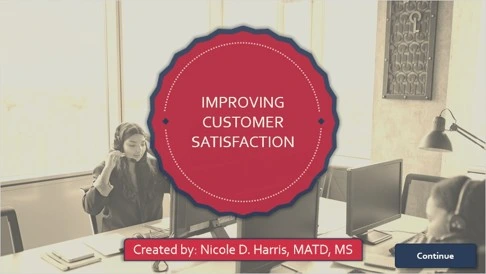
Cover page of the hypothetical Improving Customer Satisfaction eLearning course.

This course demonstrates adaptive learning, scenario-based instruction, branching pathways, KPI-driven performance coaching, and customer service soft skills training within a fictional call center environment.

You're placed in the role of “Marcy Fields,” a customer service representative working to improve Phone Etiquette performance metrics. Learners engage with customer personalities, empathy techniques, and decision-making scenarios that simulate real-world call center interactions.

Try the Course


Instructional Design Plan

Take a look at my IDP for more detail:

Instructional Design Plan

Tools Used:
  • Microsoft Word 365
  • Articulate Storyline 360
  • Miro
  • ChatGPT
  • CoPilot


Business Context

Mid size widget company (call center) with rising new hire CSR turnover and declining early tenure KPIs. The learning intervention targets phone etiquette, empathy, and decision making to improve KPI trends.

Performance Challenges
  • New hires report insufficient practice and feedback
  • First 6 month KPIs (AHT, FCR, Phone Etiquette) are significantly lower year over year
  • Turnover among new reps is increasing
Key Instructional Decisions
I love designing scenario-based courses as a rule, but for soft skill lessons, I believe they are a must. Scenarios mirror on-the-job decisions and support learning transfer.

Here are a few more of my key instructional design choices:
  • Short scenarios are ideal for initial practice with immediate feedback to lower cognitive load, accelerate skill acquisition, and reduce learner discouragement.
  • Adaptive branching was necessary for routing learners to targeted practice based on KPI gaps (e.g., empathy vs. efficiency) and for remediation.
  • Audio narration (TTS) over heavy video because it supports accessibility, faster iteration, and reduces bandwidth and production time.
  • Character-based visuals (stylized, non-identifying avatars) create memorable personas without stereotyping. They also support role immersion while minimizing design complexity.
Visual Mockup

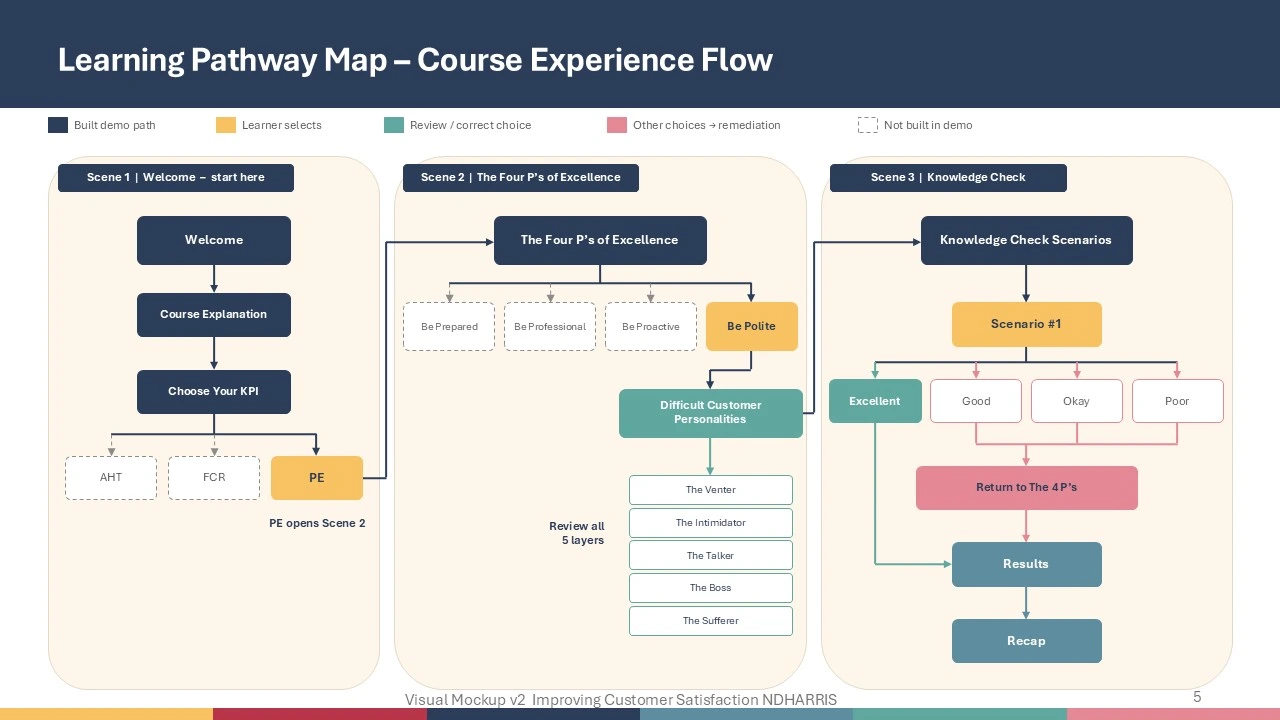
Learning Pathway Map for the course.

View my visual design process:

Visual Mockup 

Tools Used:
  • Microsoft Powerpoint 365

  • Microsoft Designer

  • ChatGPT

  • CoPilot

  • Gemini


Visual Mockup
My visual mockup showcases my initial concepts for the course. Normally, I would develop images in this phase, but I wanted to seek feedback on the ideas before leveraging AI. The stakeholders and SMEs were very pleased with the visual aesthetic. 

I planned to use the Articulate Storyline 360 Journey theme template as a starting point. The Journey theme provided colors and layouts that aided SMEs and stakeholders in visualizing the learner’s course progression and experience. Given the time constraints, this approach ensured rapid development.

Prototype

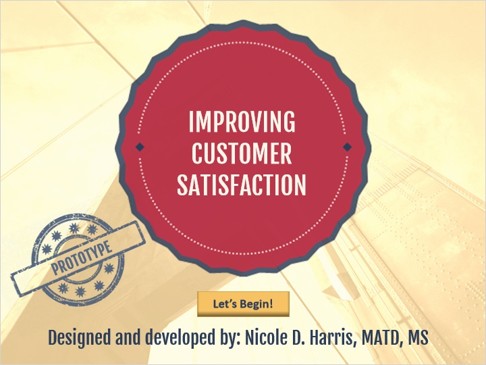
Course cover for Improving Customer Satisfaction Prototype.

View my prototype eLearning course:

 Prototype

Tools Used:
  • Articulate Storyline 360
  • Microsoft Word 365
  • Microsoft PowerPoint 365


Review and Approval

Once the IDP and Visual Mockup were approved, I moved forward with developing the prototype. I made some notes on potential interactions to help learners achieve the course objectives, but did not create a full storyboard. 
I crafted the content using my research and experience. Links to the content sources can be found on the Resources tab in the course.

I kept the design simple to facilitate discussions about the course's future look and feel. These conversations helped us identify the graphics needed for future iterations of the course.

The time frame for development was only 8 hours.

Planned Improvements
During our prototype review, the Design Team reached a consensus on the design and development for the next iteration:
  • Eliminate Journey visuals: Ensure the design looks less like a PowerPoint and reduces reliance on the Journey theme.
  • Incorporate more audio and interactivity.
  • Use a character set of minimalist 3D geometric avatars in a claymation style with vivid colors.
  • Enhance feedback layers with a more coaching-oriented style, avoiding scrolling.
  • Provide more script guidance on the Difficult Customer Profiles slide, offering learners strategies to use.
  • Exclude a scored quiz for this part of the course.
  • Add a narrator for the course.
  • Change the supervisor/guide image.

Storyboard

Take a look at the Difficult Customer Profiles slide storyboard:

 Storyboard

Tools Used:
  • Articulate Storyline 360
  • Microsoft Word 365
  • Microsoft PowerPoint 365
  • ChatGPT
  • CoPilot
  • Gemini


Difficult Customer Profiles

I understood my charge and set out to complete everything on the list. It took a few more review cycles to finalize the script and programming. However, fortunately for me, I was also the developer of the project. I knew storyboarding was essential to identifying any programming gaps early in development.

The storyboard greatly assisted the SMEs with the audio narration by allowing them to visualize the content.

I still hadn't come up with the right avatars working with my AI tools. However, I continued to work with the SME's and the tools to find the perfect prompt to create memorable avatars for learners. to get just the right prompt to create avatars that learners would remember. Unfortunately, they weren't ready by the end of storyboard development so Imoved ahead with the simple emoji icons you see in the document.

I also knew that these avatars could be repurposed for insertion into the New Hire course content. I also knew these avatars could be repurposed for the New Hire course content. Their importance was clear, and I needed to get them right.


Reflection


All Tools Used:
  • Articulate Storyline 360
  • Microsoft Word 365
  • Microsoft Designer
  • Microsoft PowerPoint 365
  • ChatGPT
  • CoPilot
  • Gemini
  • Easy Peasy


Successes
  • Lean, consistent visual design and memorable characters that support role immersion.
  • Practice with feedback approach that encourages retry and reduces “fail” stigma.
  • TTS and copy editing to a 9th grade reading level improved accessibility and translation readiness. 
Constraints navigated
  • Timeline & budget: prioritized practice interactions and TTS to meet deadlines.
  • LMS limitations: built SCORM compliant Storyline output and kept interactions compatible with common LMS tracking.
  • SME availability: used targeted SME reviews and pilot testing rather than extended shadowing when SME time was limited.
  • Bandwidth: limited video use; optimized audio and lightweight graphics.
  • Critical decision: Prioritize practice with feedback and adaptive remediation to maximize measurable behavior change within a short seat time.
  • No heavy video (time/bandwidth constraint): — tradeoff accepted to deliver earlier and ensure accessibility.
  • Graphics: Used simpler graphics to reduce development time; plan to iterate with richer backgrounds and short video clips in future versions.
Future improvements
  • Add short (≤80s) video clips for richer context where bandwidth allows.
  • Expand branching logic for a graded final assessment.
  • Build more dimensional character personas and varied backgrounds.
  • Integrate an LLM for learner generated phrasing and on demand feedback in future iterations.
  • Add chat simulated scenarios.
  • Prepare for translation to Spanish. This will increase comprehension for our Spanish speaking CSR team.